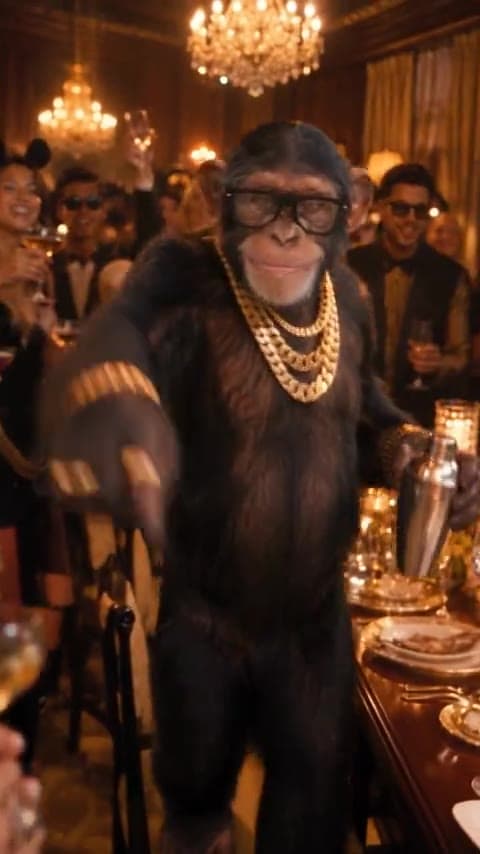
Step into the scene
Your subject enters the party as the main character while the camera moves in and establishes the setting.
Upload one photo and turn it into a 15-second Burning Bridges AI video inspired by the viral Drake trend. No filming, editing, or prompts.
One person or pet, head to waist in frame, good light. JPG, PNG or WebP.
Your photo becomes the lead in a fast, party-style AI video built around the recognizable Burning Bridges trend. The camera moves in close, the room reacts around your subject, and the clip builds toward the search-the-room moment people recognize from the trend.
Your subject enters the party as the main character while the camera moves in and establishes the setting.
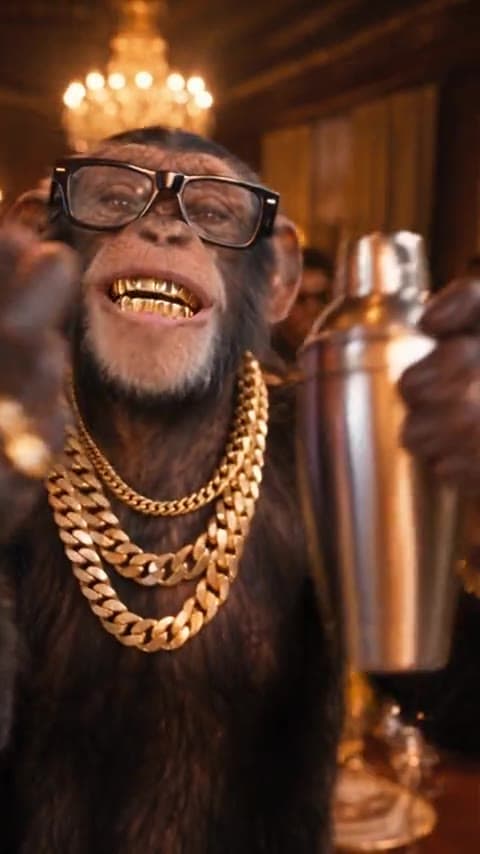
The camera gets closer as the performance becomes more expressive, keeping your uploaded subject at the center of the shot.
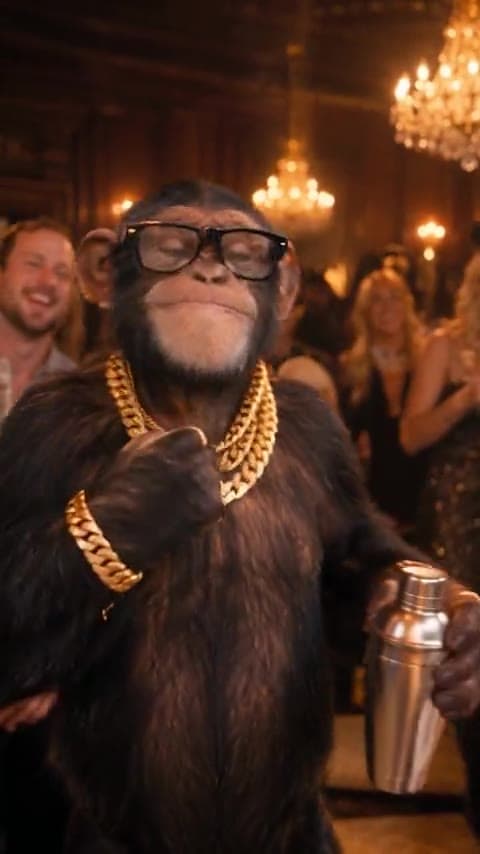
The energy opens up with bigger gestures, movement and reactions around the lead character.
One photo goes in. A complete Burning Bridges-style AI video comes out.
Make my videoYou do not need to film the routine, edit a video, or write an AI prompt. Start with one clear photo and choose the version of the Burning Bridges scene you want to make.
Choose a clear photo of one person or pet. A visible face, good lighting and a head-to-waist or full-body composition give the model a stronger reference.
Pick Chandelier banquet for the classic party setting or Hotel suite after-party for a different late-night version of the scene.
Start the generation and let the AI create the video. When it is ready, preview the result and download your finished clip.
Burning Bridges AI refers to AI-generated versions of the viral party-video trend associated with Drake’s “Burning Bridges.” Instead of filming the performance yourself, you use a photo of a person or pet and generate a new video with that subject in the lead role.
That is why searches such as “Burning Bridges AI,” “Burning Bridges AI Drake,” “Drake Burning Bridges AI video” and “Burning Bridges AI video generator” often refer to the same trend: people want to recreate the recognizable video moment with a different main character.
BurningBridgesAI.cc is built specifically for that task. The scene and motion are already prepared, so you do not have to reconstruct the idea inside a general-purpose AI video generator.
A general AI video model gives you more freedom, but it also makes you build the scene yourself. A dedicated Burning Bridges AI generator is designed for one specific result.
| Burning Bridges AI Generator | General AI Video Generator | |
|---|---|---|
| Starting point | One photo | Photo, video or text prompt |
| Scene setup | Already prepared | You create it yourself |
| Prompt writing | Not required | Usually required |
| Motion setup | Built into the template | Must be described or referenced |
| Editing | Minimal setup | May require multiple attempts |
| Best for | Making the Burning Bridges trend | Creating custom video concepts |
If your goal is specifically to make the Burning Bridges AI trend, the dedicated workflow removes most of the setup. If you want to invent a completely different scene, a general AI video generator gives you more creative control.
Choose the setting that fits the version you want to make. Both templates use your uploaded photo as the subject reference.
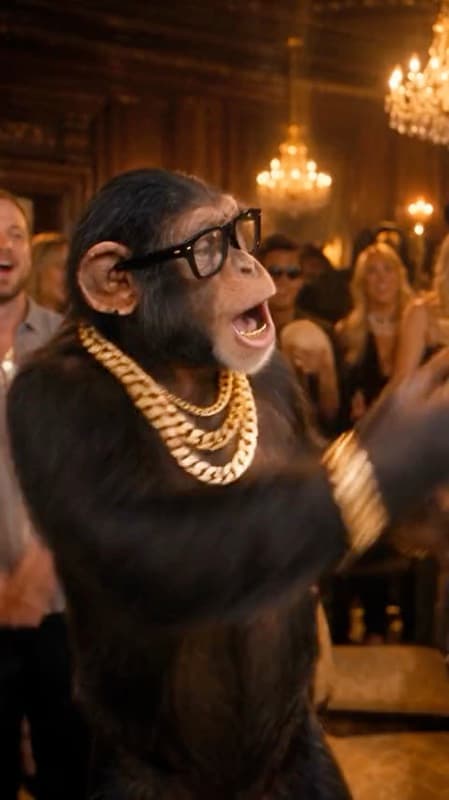
A chandelier-lit banquet setting with the recognizable party atmosphere of the Burning Bridges trend.
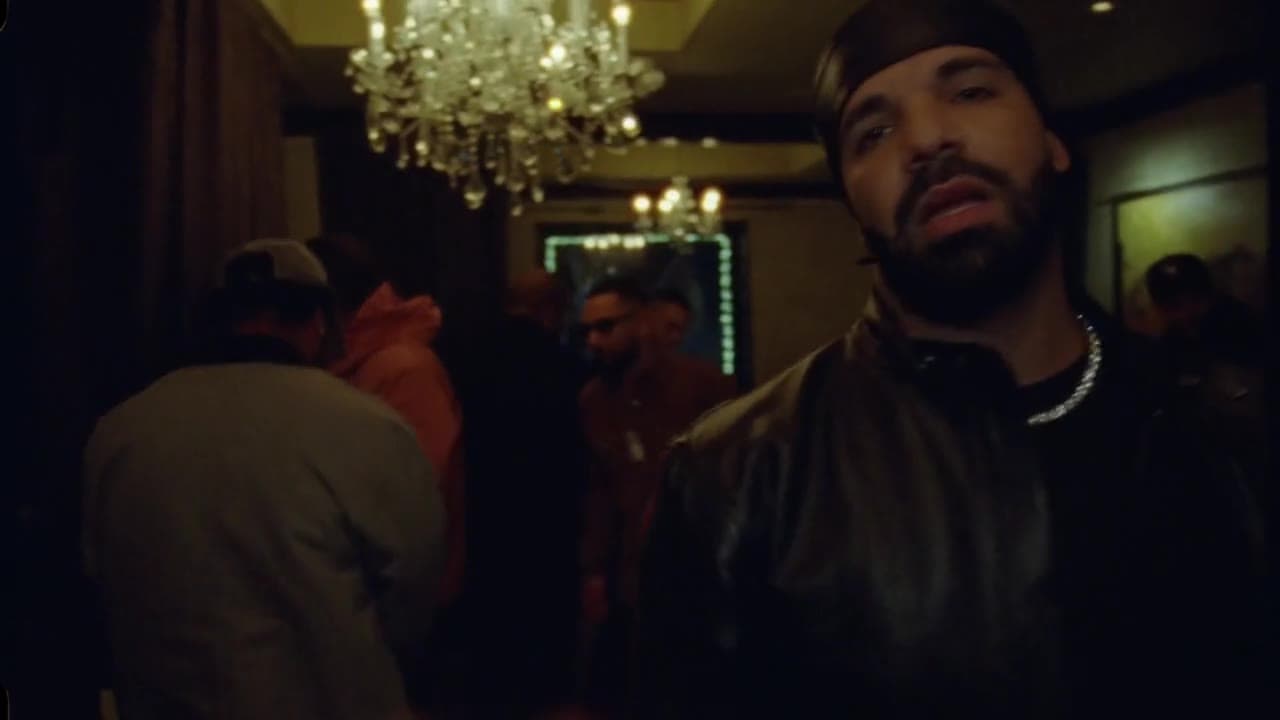
A later-night hotel-suite variation with a darker, more intimate party feel.
Your source photo gives the AI its reference for the face, hair, clothing and overall appearance of the subject. A simple, clear image usually produces a more consistent result.
If the generated face changes too much during motion, try again with a clearer, front-facing source photo.
The Burning Bridges AI trend is associated with Drake’s “Burning Bridges.” After seeing the party-style AI videos online, people often search for terms such as “Burning Bridges AI music,” “Burning Bridges AI Drake” and “Drake Burning Bridges AI video” to find the song or learn how the videos are made.
If you add or publish music with your video, use audio you have the right to use or an official sound made available by the social platform where you post it.
BurningBridgesAI.cc is an independent AI video tool and is not affiliated with or endorsed by Drake, his label, or the rights holders of the original song or video.
Buy credits once. No subscription.
100 credits per 15-second HD 720p video.
Try one video.
$9.90USD
Try a few photos.
$19.90USD
For friends and retakes.
$49.90USD
For regular creators.
$89.90USD
All prices are in USD. Review your final total, including any applicable taxes, at checkout. Payments are processed by Waffo.
One-time payments only. Nothing renews. Purchases are final: unused or partly used credits are not refundable, except as required by law or stated in our refund terms. Questions or receipt requests: support@burningbridgesai.cc.
Every pack offers the same HD 720p video quality. Packs differ only in how many credits you get. Credits are valid for 12 months from purchase.
Burning Bridges AI is a photo-to-video generator for making your own version of the viral Burning Bridges trend. Upload one photo, choose a template, and the AI creates a party-style video with your subject in the lead.
Upload a clear photo, choose a Burning Bridges template, confirm your generation settings, and start the video. You do not need to film the routine, edit the scene, or write a complicated AI video prompt.
The phrase usually refers to AI-made versions of the party-video trend associated with Drake’s “Burning Bridges,” where a different person, pet or character becomes the lead subject in the scene.
The online trend is inspired by the video style associated with Drake’s “Burning Bridges.” BurningBridgesAI.cc is an independent AI tool and is not affiliated with, sponsored by, or endorsed by Drake or his rights holders.
The trend is associated with Drake’s “Burning Bridges.” When publishing your video on a social platform, use audio you have the right to use or an official sound provided by that platform.
No. The Burning Bridges scene and motion are already set up in the template, so you mainly choose a photo and a template before generating.
Use one person or pet with a clearly visible face, good lighting, and a head-to-waist or full-body composition. Avoid blurry group photos, heavy filters, hidden faces and extreme angles.
Yes. A clear photo of one pet can be used as the subject reference. Images where the head and body are easy to distinguish usually give the AI more useful visual information.
AI video can change facial details as the subject moves, turns, or becomes partially obscured. A sharp, well-lit, front-facing source photo usually gives the model a stronger identity reference.
The current Burning Bridges video shown in the generator is 15 seconds long.
Video generation uses credits. The generator displays the required credit amount before you create the video.
The current Burning Bridges generator offers HD 720p output.
Only use photos of people who have agreed to appear in the generated video. The output is AI-generated content and should not be presented as real footage of that person.
No. BurningBridgesAI.cc is an independent AI video tool. It is not affiliated with, sponsored by, or endorsed by Drake, his label, or the rights holders of the original song or video.
Choose a photo, pick a scene, and generate your own take on the Burning Bridges trend.
One photo · 15-second video · HD 720p
Make my videoNo filming. No editing. No prompt required.